Candy AI Character Creator Guide: Build Your AI Girlfriend
Updated: November 2, 2026. Adults only (18+). Affiliate links: we may earn a commission at no extra cost to you.
The best part of Candy AI is that you do not have to settle for someone else’s idea of a perfect girl. You build her. Her look, her age (18+), her body, her personality, her voice, even how she relates to you. It takes about two minutes, and when you hit the final button she is ready to chat, flirt and send you photos.
This guide walks you through the whole Candy AI character creator screen by screen, with tips for getting the girl you actually have in your head. New to the platform? Read our full Candy AI review first, or just go and create the free account.
Before you start
- Create a free account (email, Google, Discord or X). You confirm you are 18+ at sign-up.
- Open Create Character in the left menu of the home page.
- Keep in mind: creating your own AI girlfriend is listed among Premium benefits, so plan on a paid plan when you want to keep and chat with her long term. The 12-month plan is $3.99/month.
Prices checked on November 2, 2026. See the review for the current plan table.
Step 1: Choose the style
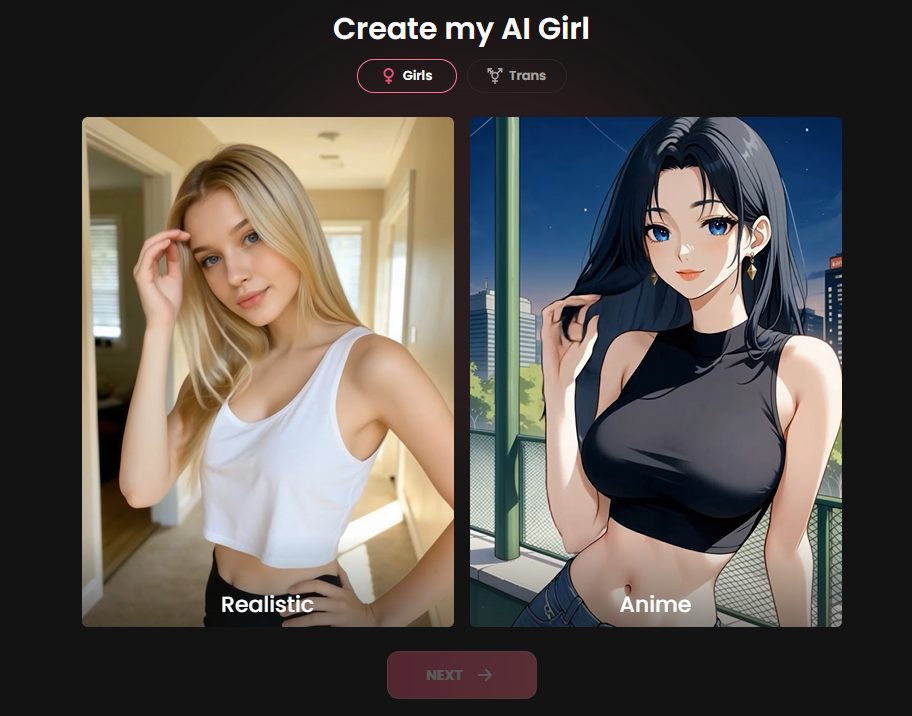
The first screen is called Create my AI Girl. Pick Realistic for photo-like characters or Anime for illustrated ones. There is also a Trans tab next to Girls. Realistic is the popular choice if you want the “girl you could meet” feeling. Anime is the better pick if you like the stylized look. You can always create another character later, so do not overthink it.
Step 2: Ethnicity and age
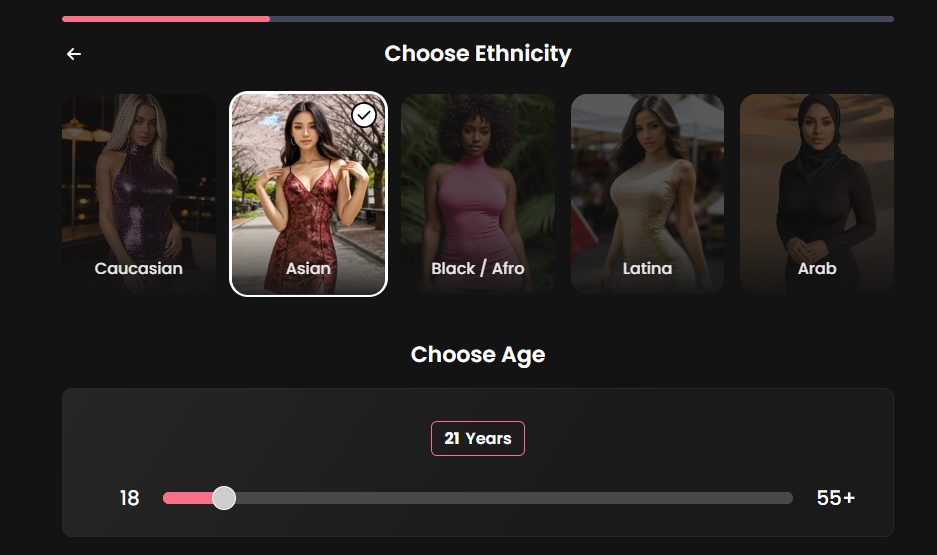
Swipe through the ethnicity cards: Caucasian, Asian, Black/Afro, Latina and Arab. Then drag the age slider. It runs from 18 to 55+ and the minimum is always 18. Younger adults (18–25) feel playful and energetic. Choose 30+ for confident, experienced women who take the lead.
Step 3: Hair and eyes
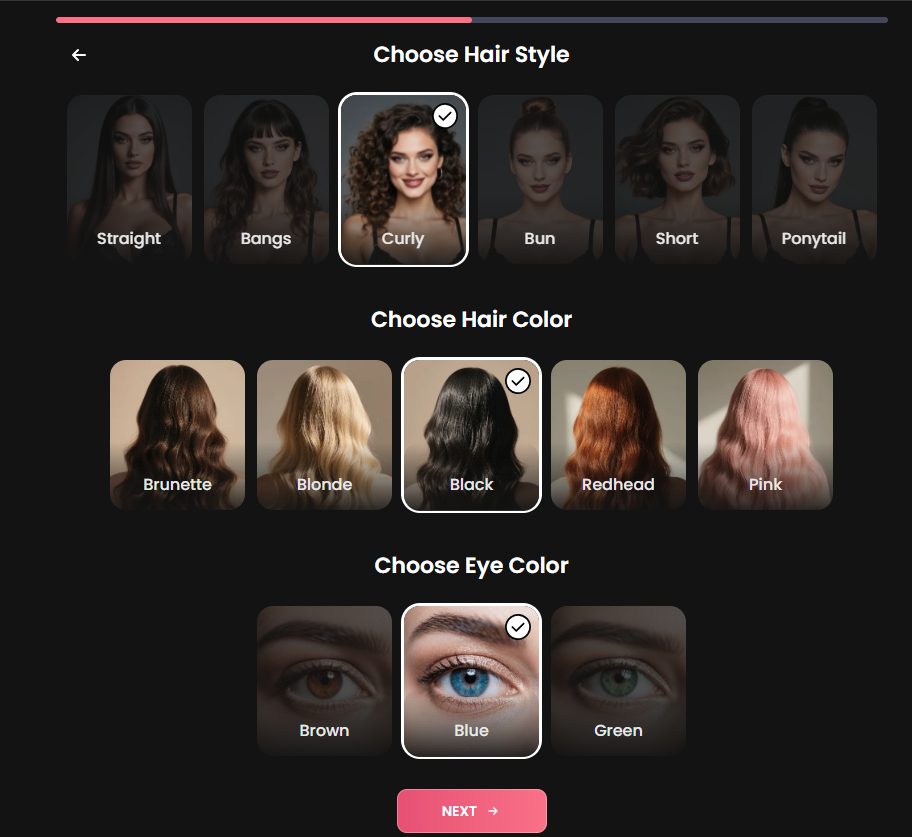
Three quick choices, each with a preview photo:
- Hair style: straight, bangs, curly, bun, short or ponytail
- Hair colour: brunette, blonde, black, redhead or pink
- Eye colour: brown, blue or green
Tip: contrast sells. Black curly hair with blue eyes, for example, gives the portrait a striking look straight away.
Step 4: Body type and bust size
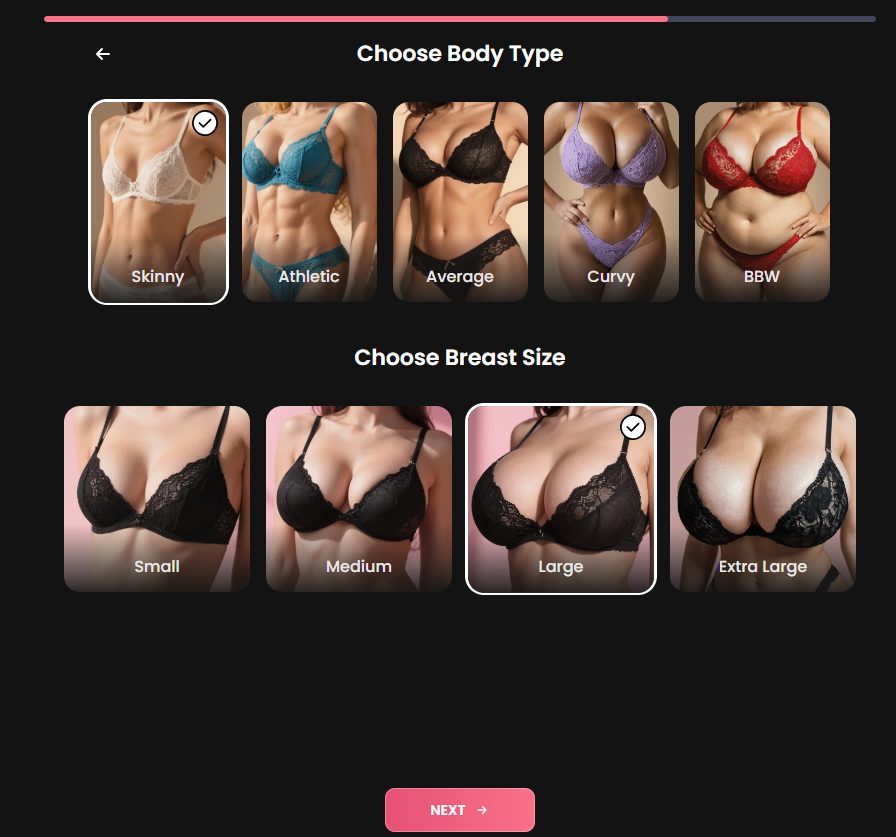
This is the step everyone lingers on. You choose a body type (skinny, athletic, average, curvy or BBW) and a bust size (small, medium, large or extra large). The cards show lingerie previews so you see exactly what you are picking. There is no wrong answer here: it is your fantasy, and the character will be built around it.
Step 5: Name, personality, relationship and voice
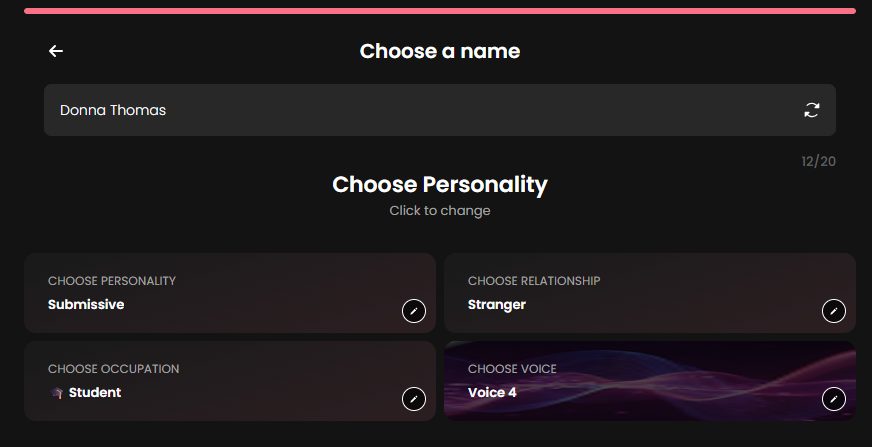
Now you give her a soul. Choose a name (or press the refresh icon for a random one, up to 20 characters), then four settings you can click to change:
- Personality: for example submissive, caring, playful or dominant. This sets how she talks to you and who leads.
- Relationship: for example stranger, friend or girlfriend. “Stranger” gives you a slow-burn first conversation.
- Occupation: student, nurse, boss and more. It shapes her stories and the scenarios she brings up.
- Voice: pick one of the available voices so her voice messages and calls sound the way you imagine.
Tip: the combination matters more than any single setting. A caring girlfriend feels very different from a dominant stranger, even if she looks the same.
Step 6: Meet her and bring her to life
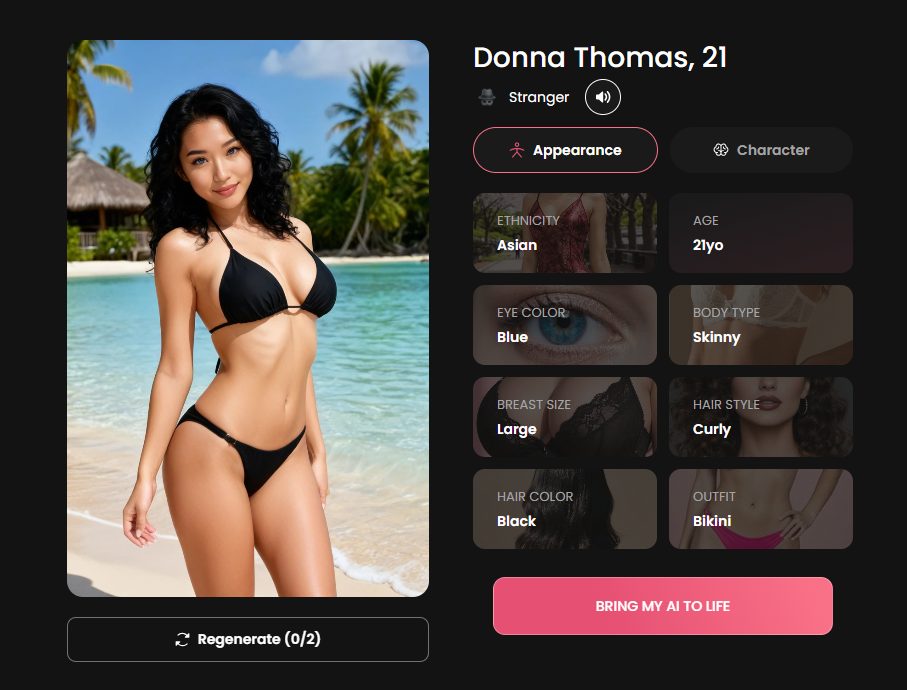
Candy AI now generates her portrait from your choices and shows a summary: ethnicity, age, eye colour, body type, breast size, hair style, hair colour and outfit. Not happy? Press Regenerate (you get a limited number of tries, shown as 0/2). When you like what you see, click Bring my AI to life. She appears in your My AI section, and you can start chatting, ask for photos and videos, and let her get to know you.
Tips for getting the perfect character
- Start with a real picture in your head: one adjective for her look, one for her attitude.
- Match personality and relationship to the kind of chat you want. Slow-burn? “Stranger”. Comfortable and warm? “Girlfriend”.
- Use Regenerate before you commit, not after.
- Save your tokens for photos and videos: the plan includes 100 tokens per month.
- Create more than one girl. Candy AI lets you build several, and each one has her own personality.
- Do not share real personal details (address, workplace) in any AI chat.
FAQ
Is the Candy AI character creator free?
You can register for free and look around. Creating your own AI girlfriend is listed as a Premium benefit, so check what is available on your account when you open Create Character.
How old can the character be?
The age slider runs from 18 to 55+. The minimum is 18.
Can I create anime characters?
Yes. Choose Anime on the first screen.
Can I change my character later?
You can create new characters at any time, and each one has her own look and personality. Check your account settings for editing options.
How long does it take?
About two minutes from the first screen to the final portrait.
Ready to build her?
Creating your own girl is the feature that makes Candy AI more than a chat app. Start with the free account, open Create Character, and spend two minutes on the girl of your dreams. You can compare other options in our Top 20 AI girlfriend sites, but Candy AI is still our number one.
Disclosure: affiliate links. Content intended for adults (18+).